EnvKit
Control the EnvKit local dev stack (PHP, nginx, MySQL, sites). Requires the EnvKit desktop app.

EnvKit
Your local stack, one place.
A free local development environment for Windows and macOS: nginx or Apache, any PHP
version, MySQL, PostgreSQL, Redis and trusted .test HTTPS, from one desktop app.
A Laragon, XAMPP and Herd alternative.







Download for Windows · Download for macOS · Website · Docs · Changelog
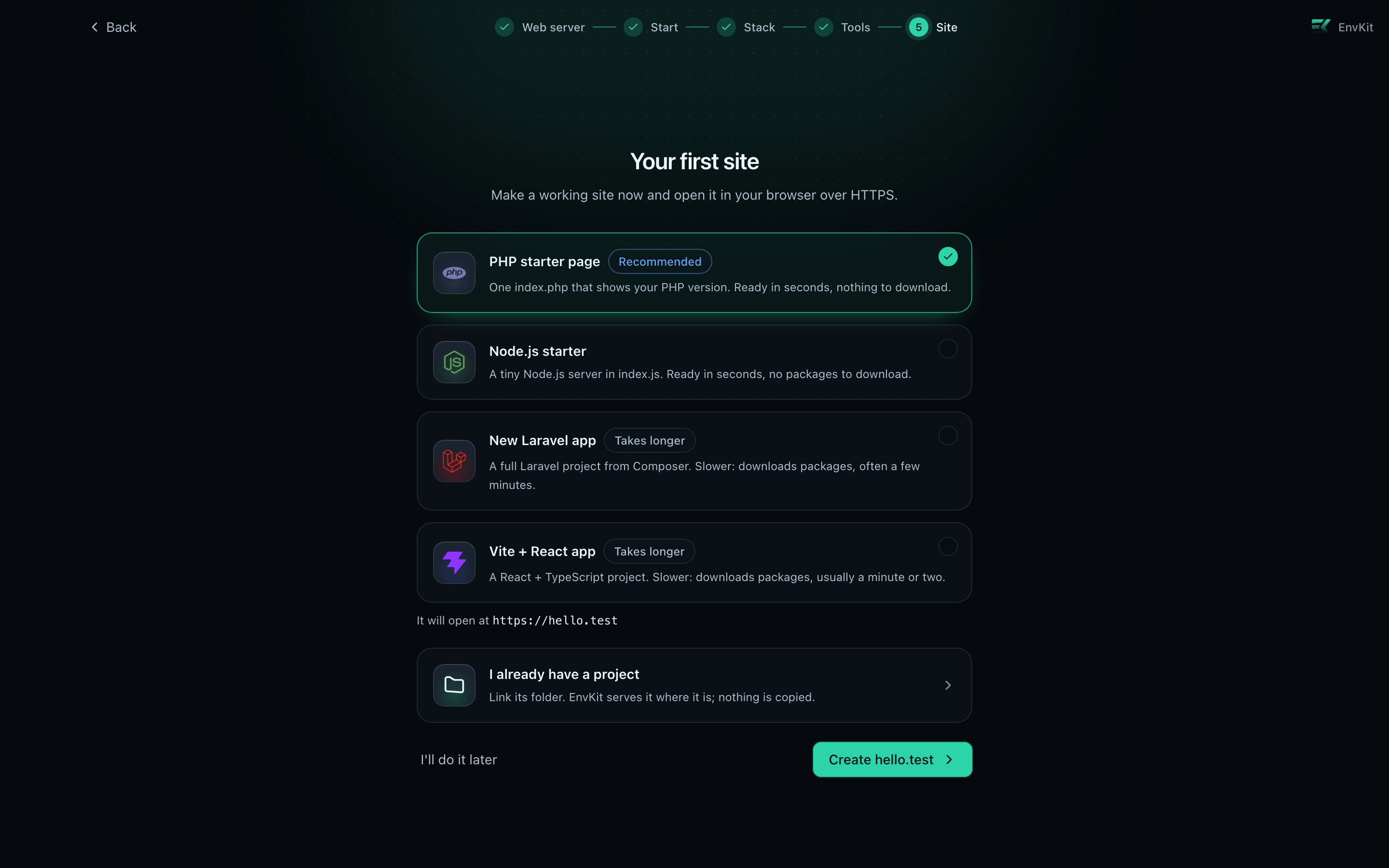
EnvKit runs your whole PHP and Node stack as native processes, managed from a tray app. No Docker, no WSL, no config files to hand-edit. Install it, pick your stack, and the first-run wizard ends with a working site open in your browser over HTTPS.
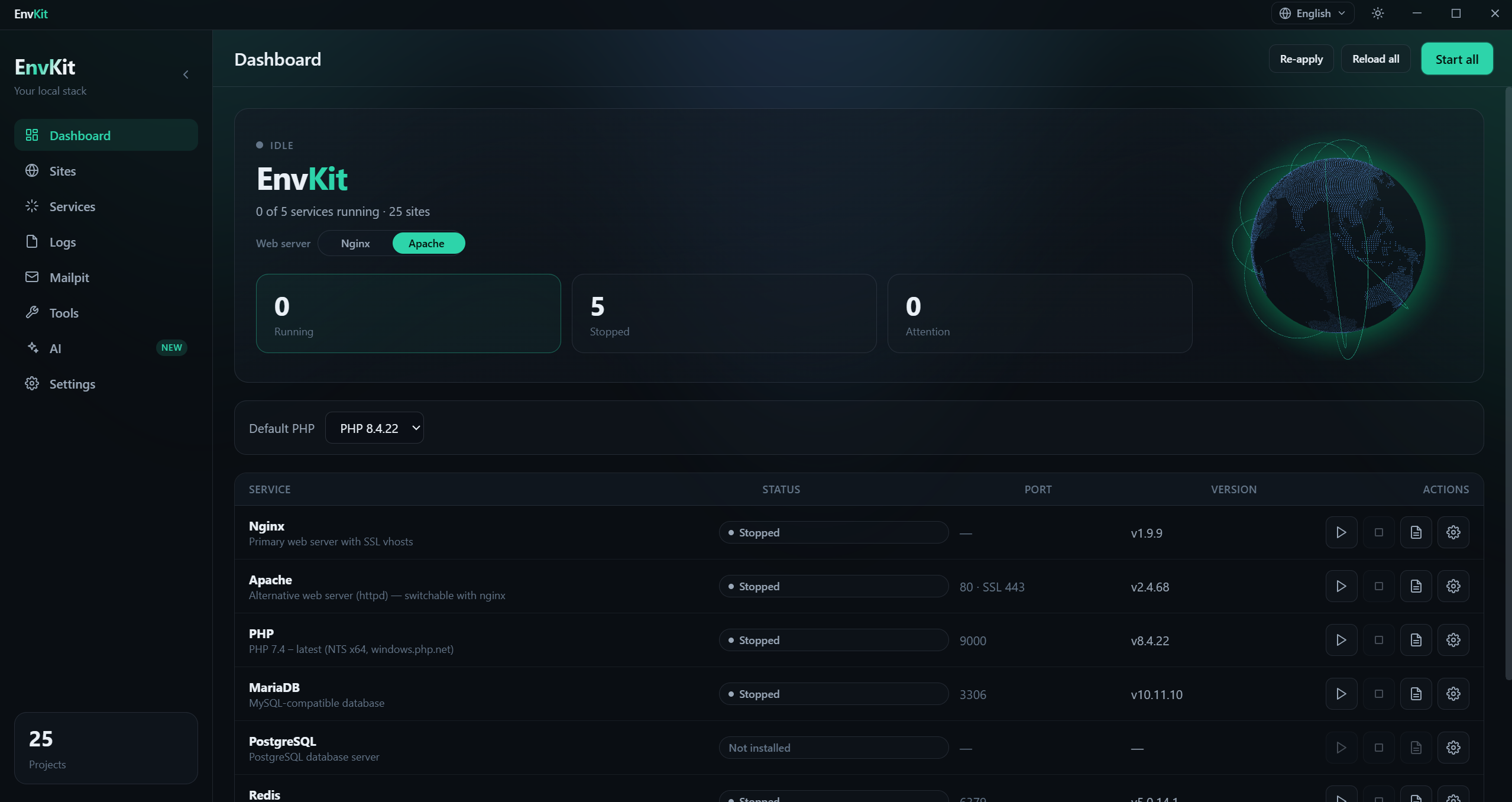
Free, with no limit on sites and no upgrade popups. Moving from another tool? See how it compares to Laragon, Herd and XAMPP.
Features
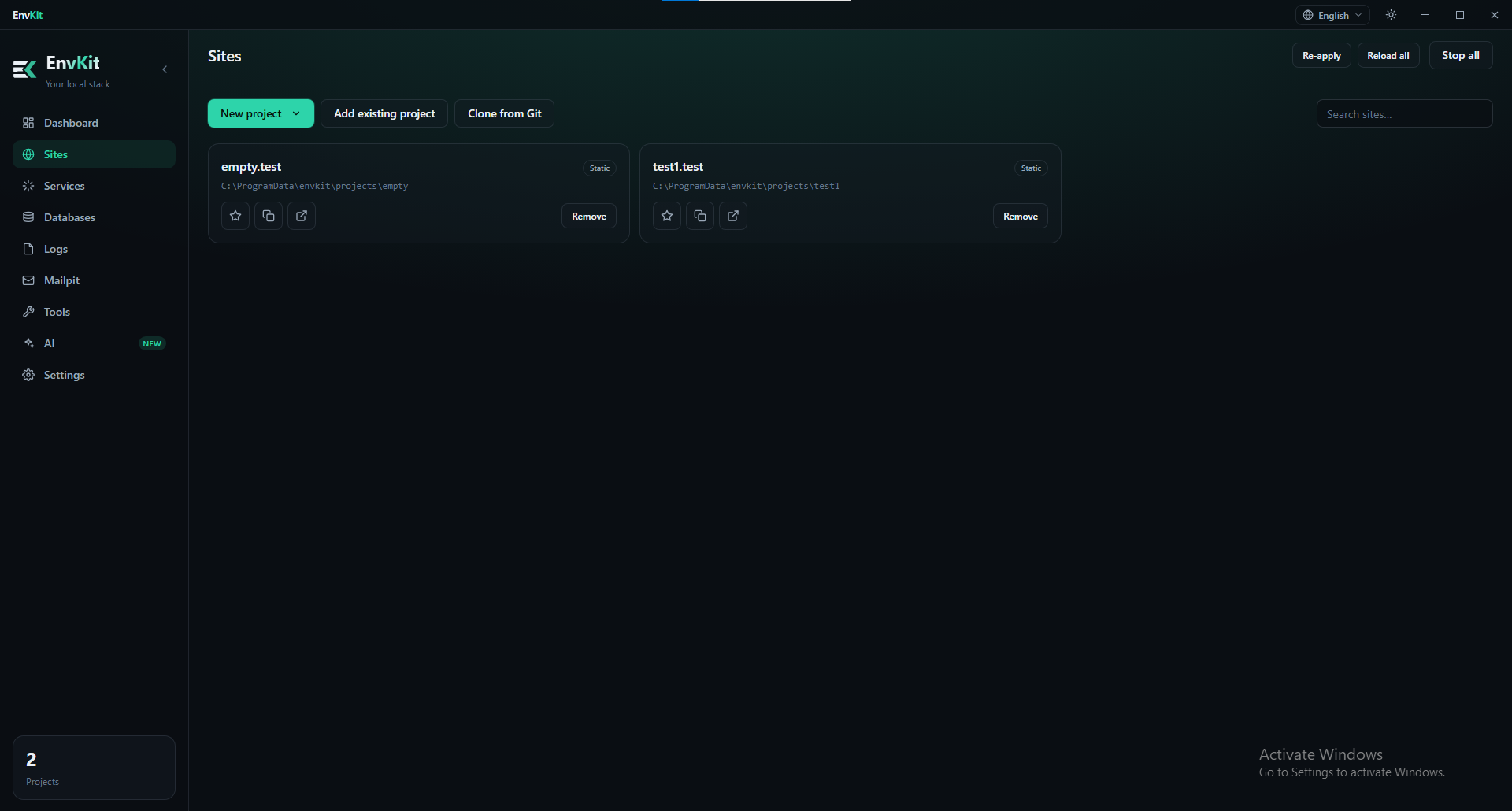
Sites, domains and HTTPS
- 🌐 Automatic
.testdomains with trusted HTTPS. Every site gets a hostname and a certificate from EnvKit's local CA, trusted by your browser with no warnings. - 🧱 Any kind of project. Laravel, WordPress, Bedrock, CodeIgniter, plain PHP, and
Node, React, Next.js, Vite and Angular dev servers, all served at
.testover HTTPS with hot reload and a live view of the dev server's output. - 🚀 New projects in one step. Start a Laravel, WordPress or Node project, clone a Git repo, or link a folder you already have.
- 🔗 Site groups. Keep related sites together, and switch any site off or put it to sleep when you don't need it.
- 🌍 Share a site publicly. One click gives a site a public
https://<name>.envkit.netlink to show a client or test a webhook, with a Stop button when you're done. - 🔄 Live reload. Save a file and the browser refreshes, including your other open tabs after a WordPress admin or Laravel form save.
PHP, Node and runtimes
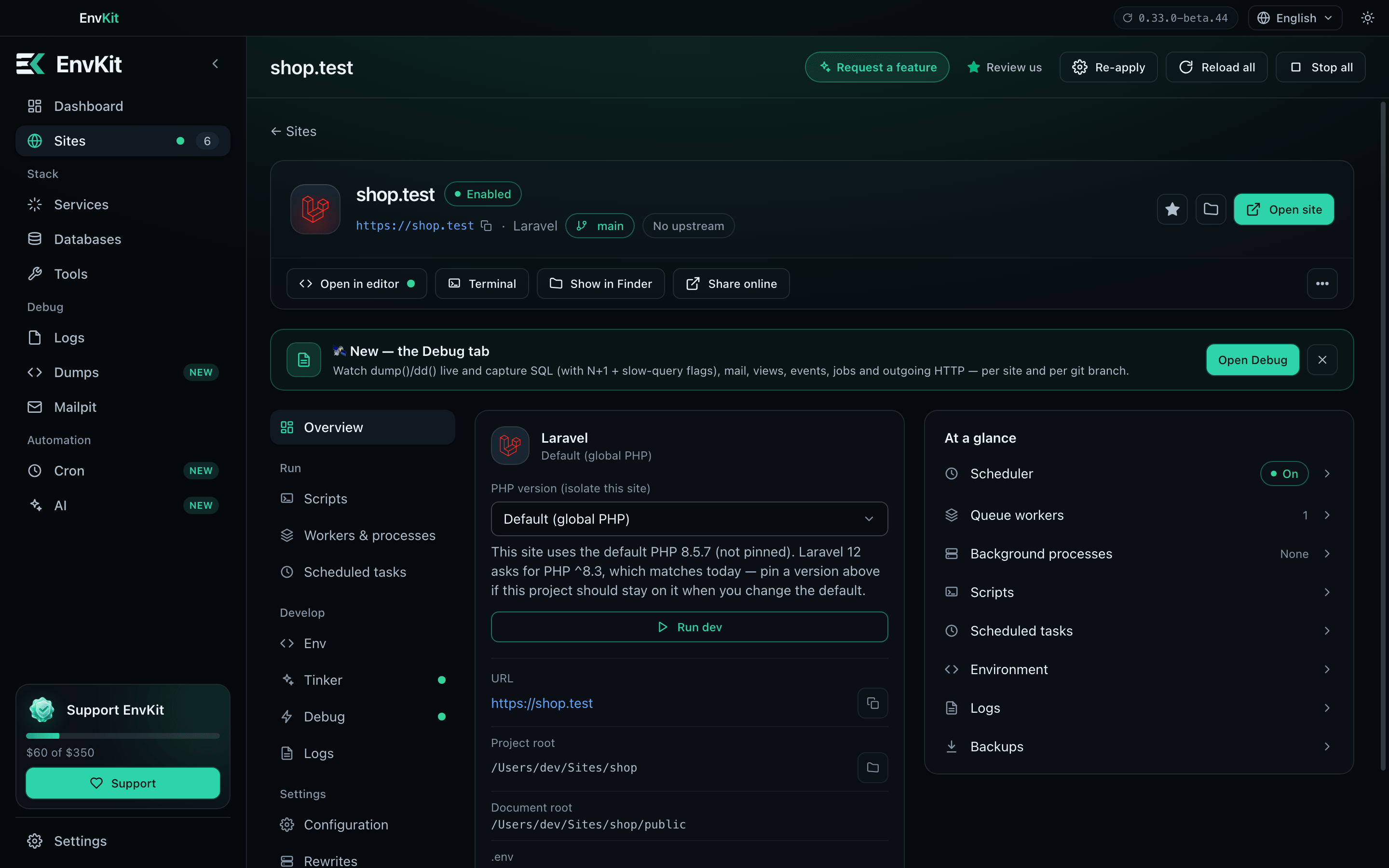
- 🐘 Multiple PHP versions, per site. Run each site on its own PHP version, isolated from the others, with Xdebug switched on only when you want it.
- 🧰 Your choice of web server. nginx, Apache, Caddy or FrankenPHP, switched from Settings.
- 📦 Node.js with nvm. Per-project versions from
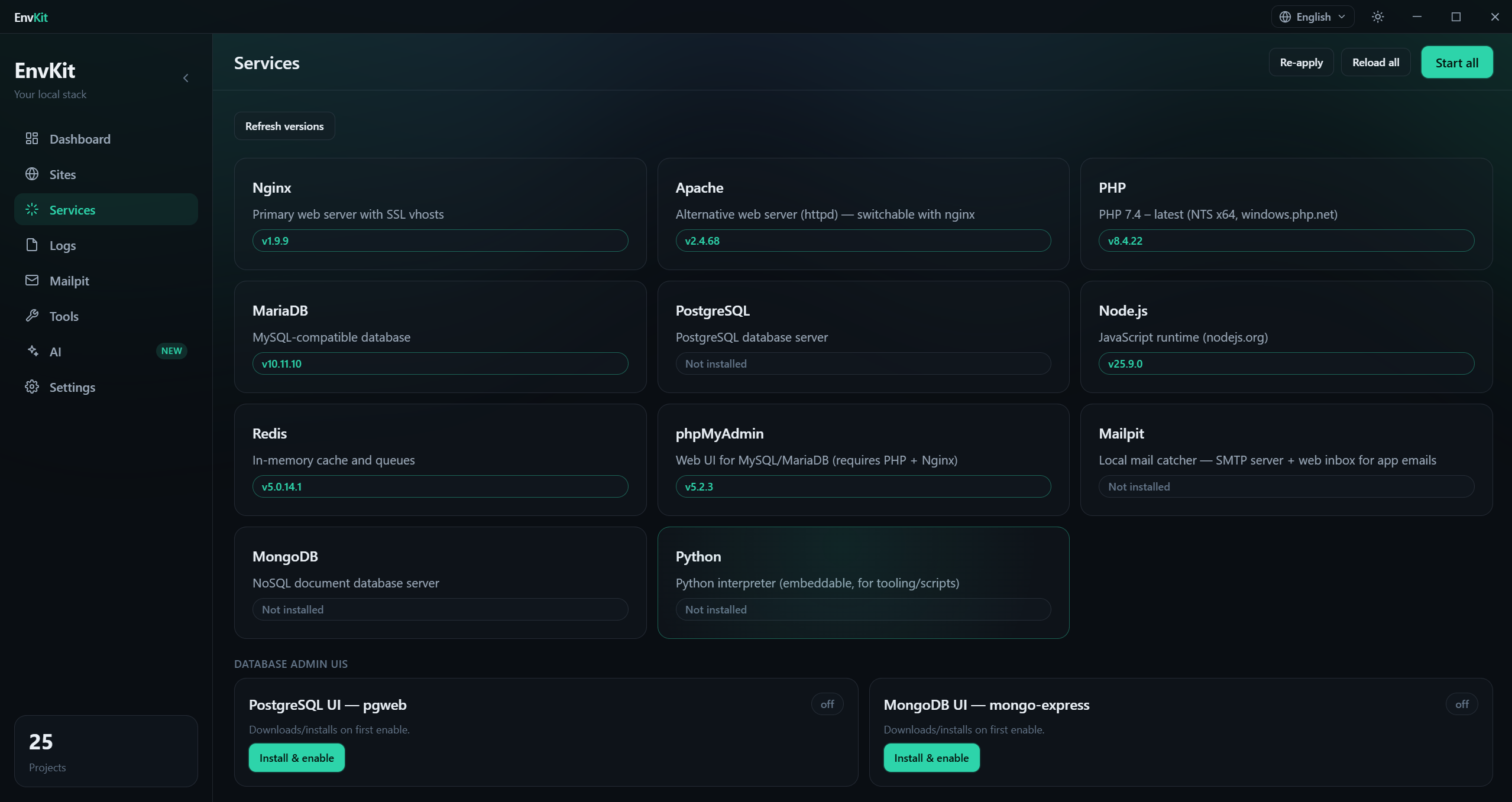
.nvmrc, plus npm, pnpm, Yarn and Bun. Python, Go and Deno are one click away. - 🧷 Custom versions. Install any version of MySQL/MariaDB, nginx, Node.js, MongoDB, Redis, PostgreSQL or Python by typing its number.
- 📄
envkit.json. Commit a project's required PHP extensions andphp.inivalues, with a per-developerenvkit.local.jsonon top.
Databases and services
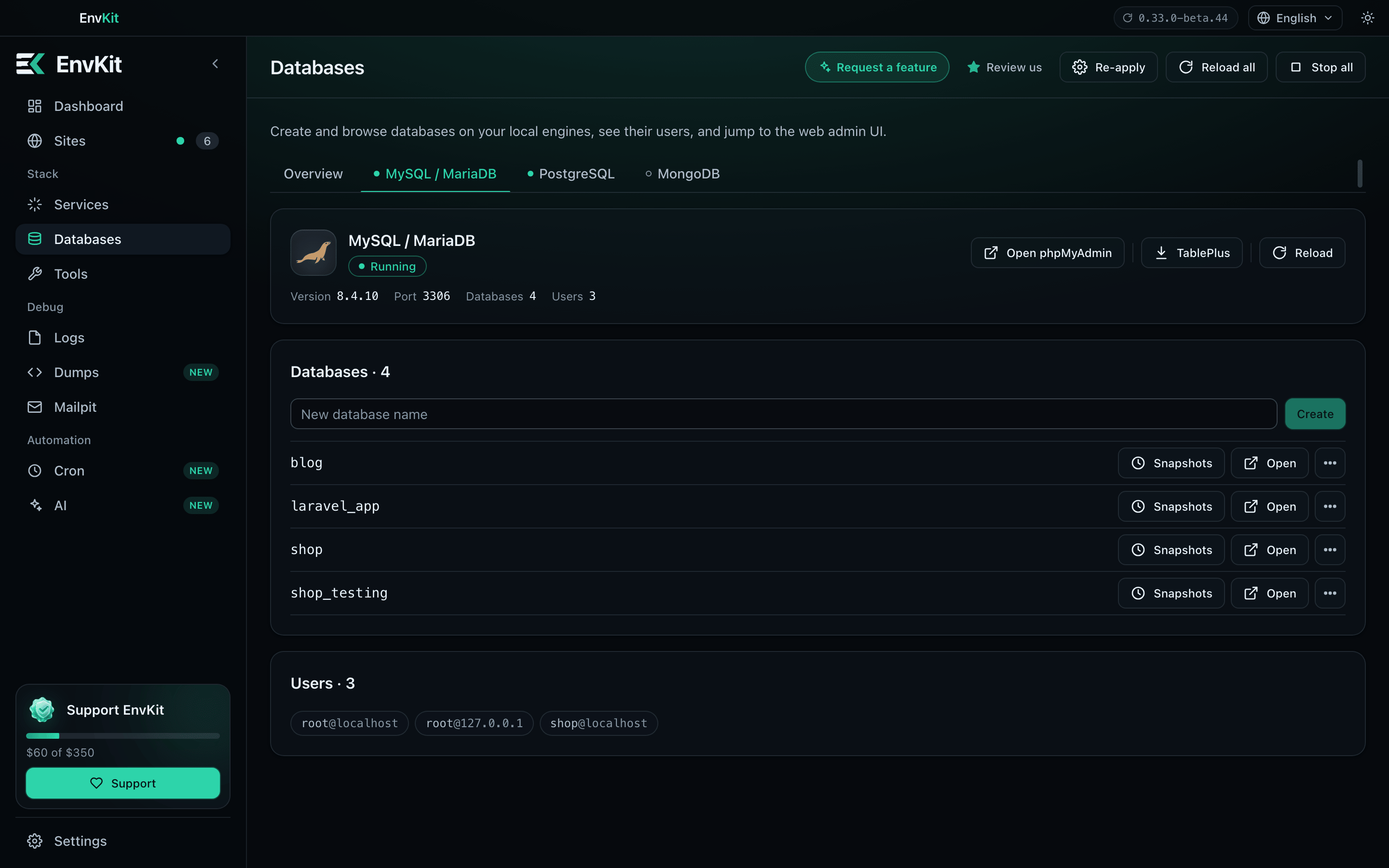
- 🗄️ One-click services. MySQL/MariaDB (including MySQL 8), PostgreSQL, Redis, MongoDB, Memcached, Meilisearch, MinIO and Mailpit.
- 🧭 Database admin built in. phpMyAdmin, Adminer, pgAdmin for PostgreSQL and a Mongo web UI, opened already pointed at your local server.
- 📬 Mail catcher. Mailpit captures every email your app sends, with its own page in the app.
- 🛟 Backups that respect your data. Back up and restore a site's database from its page. A MySQL data folder that still has your databases in it is never re-initialized.
Debugging and everyday tools
- 🩺 Diagnose and self-heal. Finds port conflicts, stale PIDs and broken configs and repairs them. If another program holds a port, EnvKit moves to a free one instead of failing.
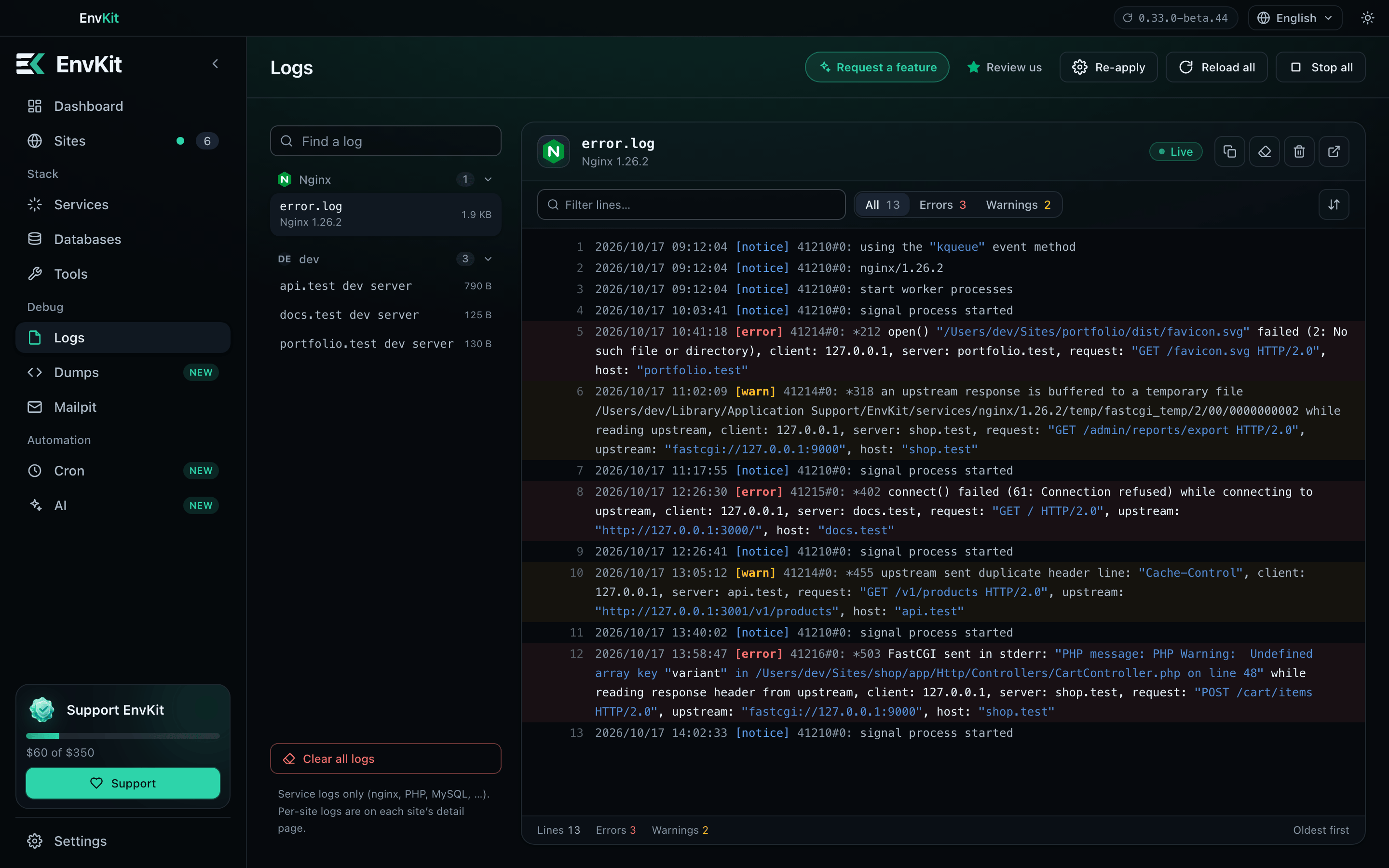
- 🛰️ Dumps and logs.
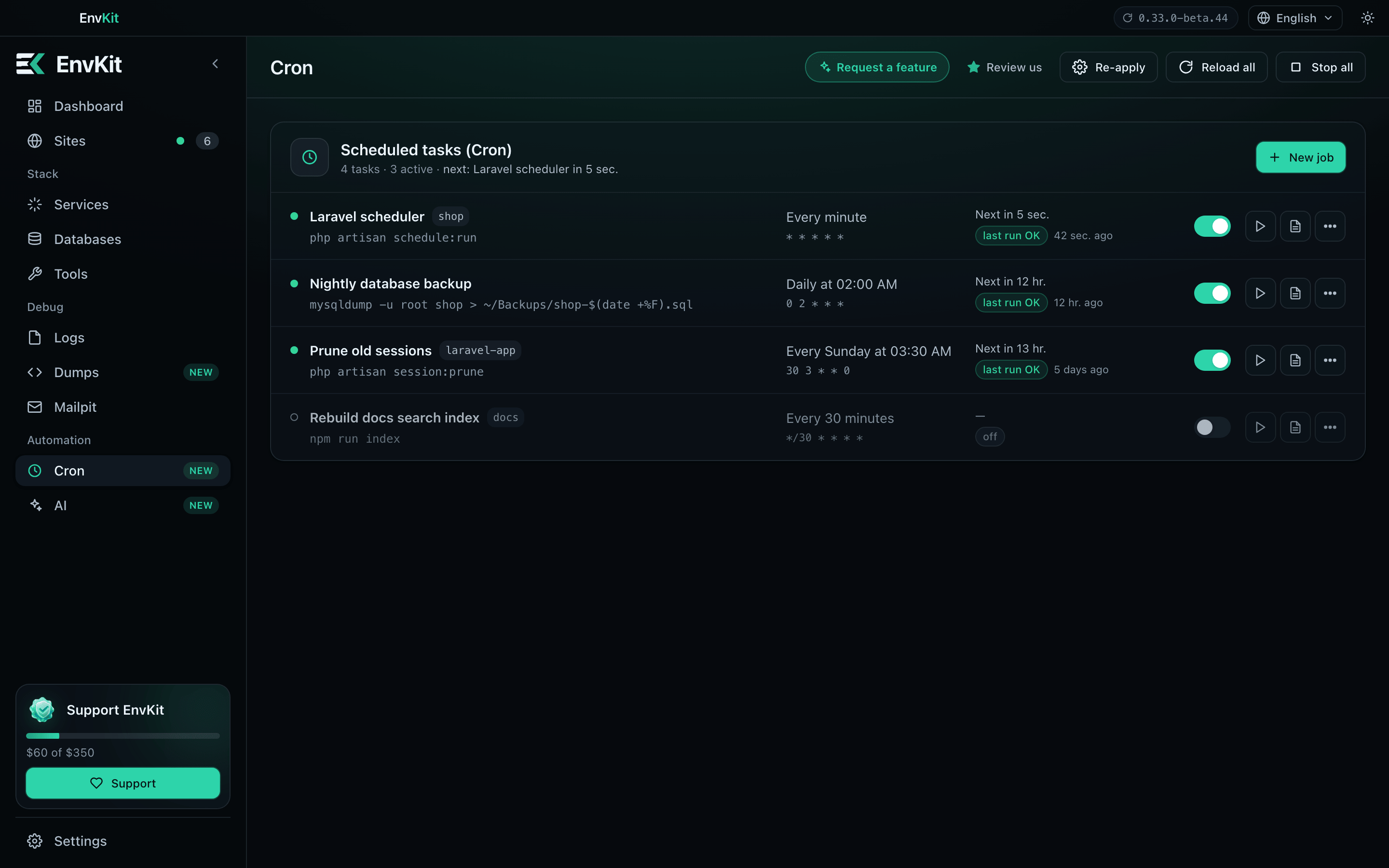
dump()output and every service's logs in one place. - ⏰ Scheduled tasks (Cron). Run commands on a schedule, with templates for Laravel, Node and NestJS.
- 🔀 Git panel per site. Stage, commit, switch branches, fetch, pull and push, with Git and the GitHub CLI bundled.
- 📡 Laravel Reverb. One-click install, supervision and proxying of WebSockets per site, plus queue workers and the scheduler.
- 🧹 Clean PATH.
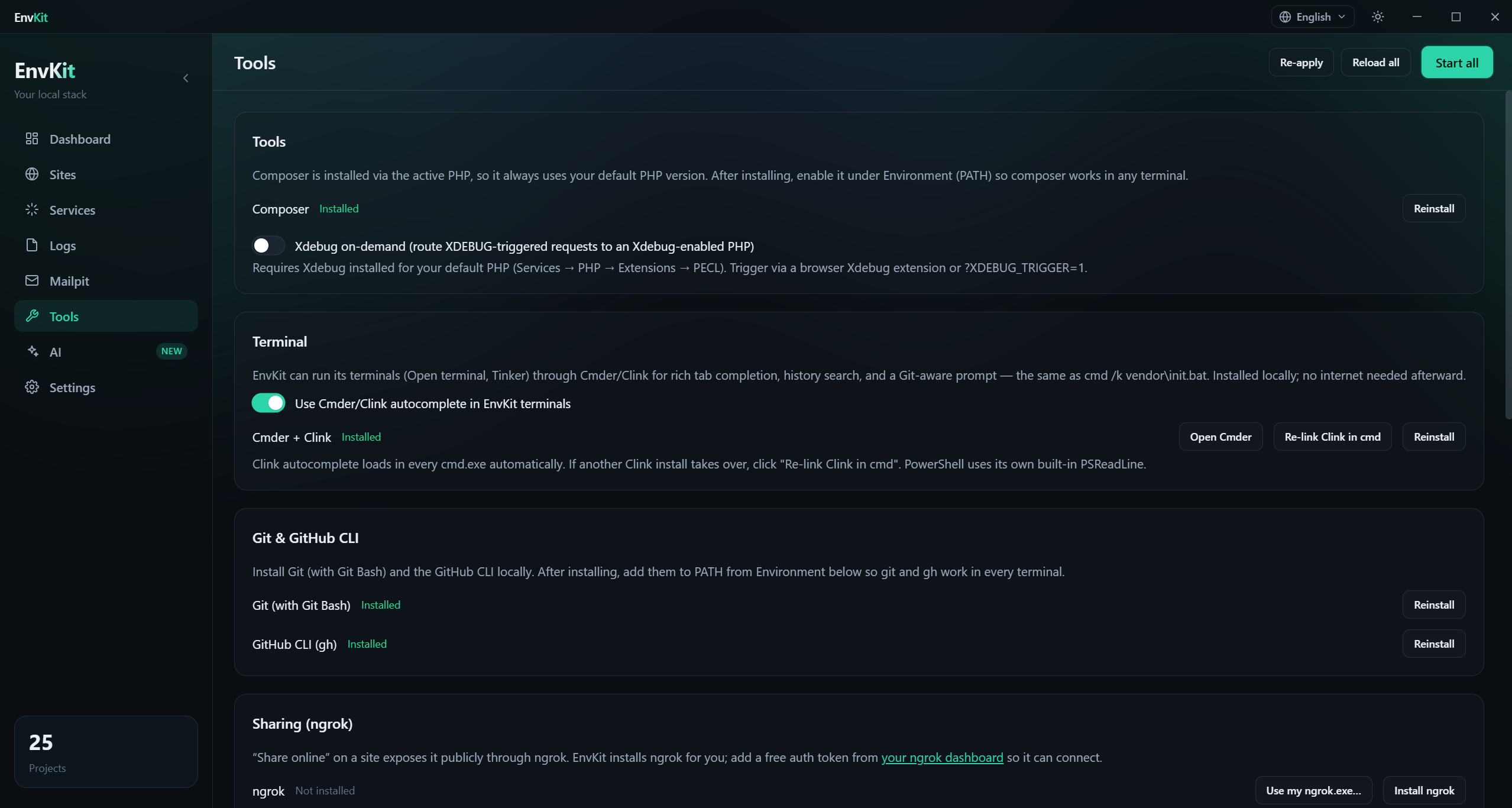
php,composer,node,mysqland friends on your PATH, with competing stacks (Laragon, XAMPP, WAMP, MAMP, Herd) removed so nothing shadows them.
App
- 🖥️ One tray app for everything. Dashboard, sites, services, databases, logs, mail and cron, in light or dark.
- 🌏 Six languages. English, العربية, Deutsch, فارسی, Español and Bahasa Indonesia, with right-to-left layout where needed.
- 🔁 Import from Laragon. Projects and databases, in a guided detect-and-import flow.
- ⬆️ Silent auto-update on both platforms, with small differential downloads.
AI integration (MCP)
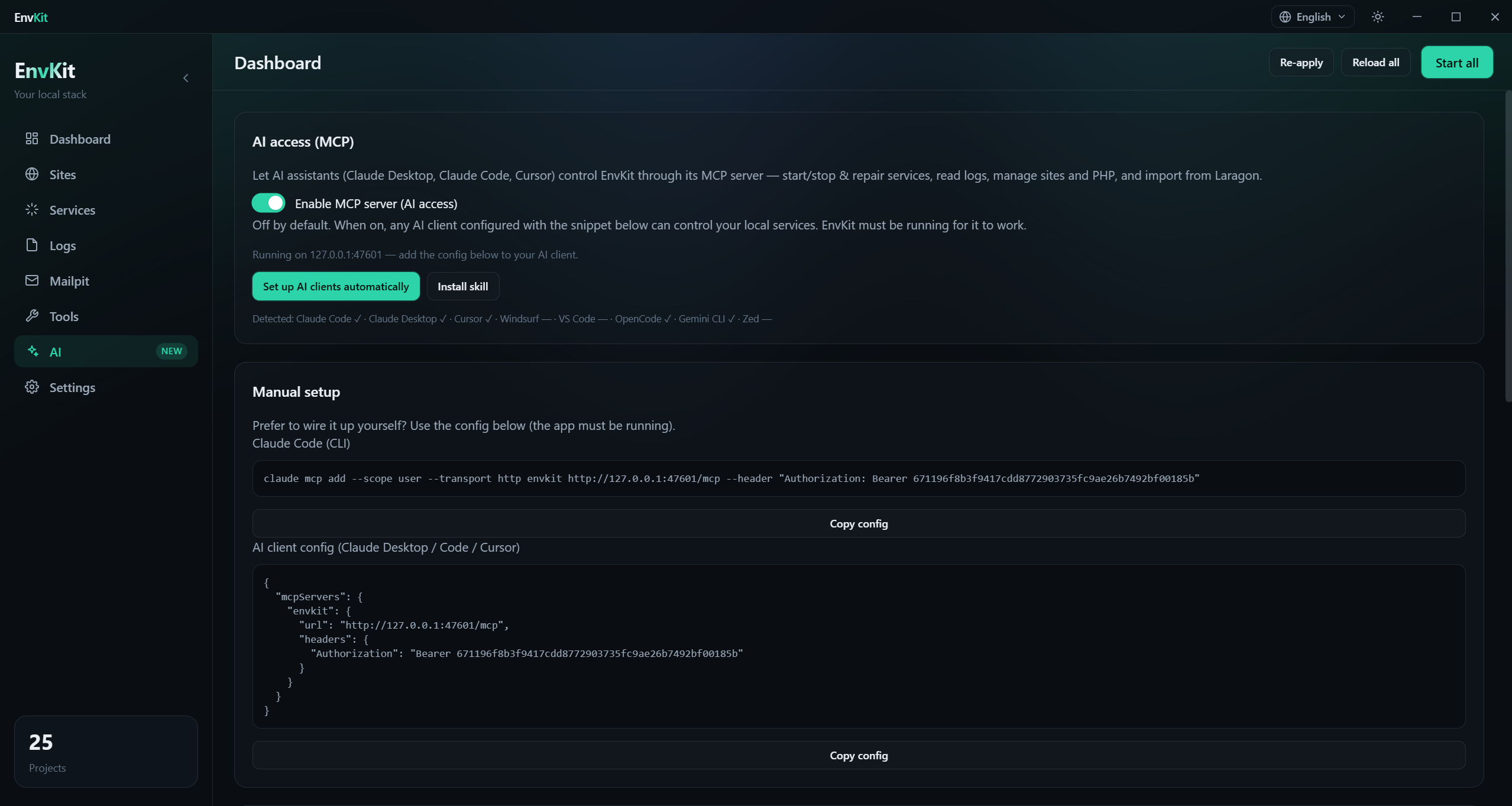
EnvKit ships a built-in Model Context Protocol server, so an AI assistant can run your local stack for you. Turn it on in Settings → AI and click Set up AI clients: EnvKit registers itself with Claude Code and Claude Desktop, Cursor, Windsurf, VS Code, Zed, OpenCode, Gemini CLI and PhpStorm (via Junie).
Then just ask:
You: mysql won't start, fix it
AI:  → diagnose_service(mysql)    # port 3306 held by another process
     → repair_service(mysql)      # frees the port, fixes the config, starts it
     ✓ mysql is running

You: make a new Laravel site called shop with its own database
AI:  → create_laravel_site(shop)
     → create_database(shop)
     ✓ https://shop.test is ready
The server listens on 127.0.0.1 only, uses a bearer token, is off by default, and only
runs while EnvKit is open.
Why EnvKit?
| EnvKit | Laravel Herd | Laragon | XAMPP | |
|---|---|---|---|---|
| Windows and macOS | ✅ | ✅ | ❌ | ✅ |
| Free, no license or paid tier | ✅ | ❌ | ❌ | ✅ |
| nginx and Apache | ✅ | ❌ | ✅ | ❌ |
| Per-site PHP version | ✅ | ✅ | 🟡 | ❌ |
| Trusted local HTTPS | ✅ | ✅ | ✅ | 🟡 |
| MySQL, PostgreSQL, Redis included | ✅ | 💲 | 🟡 | 🟡 |
| MongoDB | ✅ | ❌ | 🟡 | ❌ |
| Mail catcher | ✅ | 💲 | ❌ | 🟡 |
| Node / Next.js / Vite dev sites | ✅ | 🟡 | 🟡 | ❌ |
| Import from Laragon (with databases) | ✅ | ❌ | — | ❌ |
| AI control via MCP | ✅ | ✅ | ❌ | ❌ |
| Multi-language UI (with RTL) | ✅ | ❌ | 🟡 | ❌ |
| Auto-update | ✅ | ✅ | 🟡 | ❌ |
✅ built in · 🟡 partial or via add-on · ❌ not available · 💲 paid tier. A best-effort snapshot from late 2026; tell us if something is out of date.
Install
Windows
Download the installer and run it. Windows 10 or 11.
[!NOTE] EnvKit is self-signed for now, so SmartScreen may warn on the first run. Click More info → Run anyway.
Install from PowerShell instead
irm https://raw.githubusercontent.com/Env-Kit/envkit-releases/main/install.ps1 | iex
Run the same command again any time to update.
macOS (Apple Silicon)
curl -fsSL https://raw.githubusercontent.com/Env-Kit/envkit-releases/main/install.sh | bash
Downloads the latest Mac build, clears the Gatekeeper quarantine and opens it. Run it again
to update, or add -s -- --uninstall to remove EnvKit. macOS 12 or later on an M-series
Mac; Intel Macs are not supported.
Install with Homebrew instead
brew install --cask env-kit/tap/envkit
Install from the DMG instead
Download the DMG, open it and drag EnvKit to Applications. The app is Developer ID signed but not notarized yet, so macOS may block the first launch. Any one of these gets past it:
- open it once, then click Open Anyway in System Settings → Privacy & Security;
- use the
curlone-liner above, which clears the quarantine for you; - run
xattr -dr com.apple.quarantine /Applications/EnvKit.app.
Windows and macOS builds are released separately, so the very latest release is sometimes Windows-only. The installer script and the in-app updater pick the newest Mac build automatically.
Quick start
- Open EnvKit. The first-run wizard asks where you're coming from: Load from Laragon imports your projects and databases, Start fresh installs the stack you pick.
- Make your first site. Pick a starter (a PHP or HTML page, a small Node server, or a new Laravel or Vite app) or link a folder you already have.
- Open it. EnvKit serves it at
https://<name>.testand opens your browser. If something blocks it (a busy port, an untrusted certificate, a stopped web server), the wizard says what and offers the fix.
Upgrading? Your sites, databases, certificates and settings carry over automatically.
What's new
0.33.0-beta.44 (full notes): first-run setup ends with a working site, Bahasa Indonesia, automatic port moves for memcached and extra PHP versions, and a MySQL guard that never re-initializes a data folder holding your databases.
Screenshots
 |
 |
 |
 |
 |
 |
 |
 |
 |
 |
What EnvKit changes on your system
EnvKit runs side by side with whatever you already have. It never replaces, modifies or uninstalls PHP, Node, PostgreSQL or nginx installed on your machine; it keeps its own copies in its data folder.
The full list (Windows)
- Windows Defender exclusions for EnvKit's own install,
servicesandtoolsfolders and the bundled service executables, so scanning doesn't lock or quarantine them. The installer's exclusion is removed on uninstall. - Trusted certificates. EnvKit's code-signing certificate (so auto-updates verify;
removed on uninstall) and the local CA that signs your
.testcertificates. - hosts file. One
127.0.0.1 <site>.testline per site, removed with the site. - PATH. The bundled tools are added to your user PATH (or machine PATH if you choose) and kept in sync. Settings → Environment shows the exact folders and lets you opt out.
- No Windows services, firewall rules or drivers. Services run as child processes of the app and stop when it quits. Portable stacks that hold the same ports (Laragon, XAMPP, WAMP) are stopped only while EnvKit installs something.
Documentation
📖 envkit.net/docs: install, sites, services, databases,
PHP versions, MCP, envkit.json, custom versions and translating the app.
Getting help
- Questions and quick help: Discord
- Bugs and feature requests: open an issue (search existing issues first). Include your OS and version, the EnvKit version (Settings → Updates), what you did and what happened, and the relevant log lines if a service won't start.
- Anything else: info@envkit.net
Support EnvKit
EnvKit is free. If it saves you time, you can support it on Ko-fi. The current goal is $350 for a real Windows code-signing certificate, so installing no longer shows "Windows protected your PC", and an Apple Developer membership, so the Mac app opens without a warning. Receipts go up on Discord once they're bought.
Starring this repo and leaving a review on Trustpilot helps too.
Team
- Ziad Talaat · @zsnakeee
- Kirlos Osama · @ker00sama-dev
- Youssef Yasser · @7aWy11
License
EnvKit is free to use but not open source. All rights reserved. This repository holds the releases, installers and documentation; the application source is private.
EnvKit · envkit.net · Env-Kit
Setup from the maintainer
This listing does not have a supported local package template. Use the maintainer’s documentation for its hosted endpoint, authentication, and client-specific setup. No install command has been inferred.
Package
https://github.com/Env-Kit/envkit-releases/releases/download/v0.33.0-beta.44/envkit-mcp-0.33.0-beta.44.mcpbotherCompatible MCP Clients
EnvKit works with any MCP-compatible client. Copy the config snippet from the Configuration section above and add it to the file shown for your client, then restart the application.
- Claude Desktop
~/Library/Application Support/Claude/claude_desktop_config.jsonRestart Claude Desktop completely for changes to take effect. - Cursor
~/.cursor/mcp.jsonRestart Cursor for changes to take effect. - VS Code
.vscode/mcp.jsonReload VS Code window for changes to take effect. - Windsurf
~/.codeium/windsurf/mcp_config.jsonRestart Windsurf for changes to take effect. - Claude Code
.mcp.jsonSave at the project root, then start Claude Code in that project and review the MCP server approval prompt. Keep real credentials out of shared files.