B4n1Web
Ultra-lightweight browser engine for AI agents. 33 MCP tools, 4 SDKs, cross-platform.
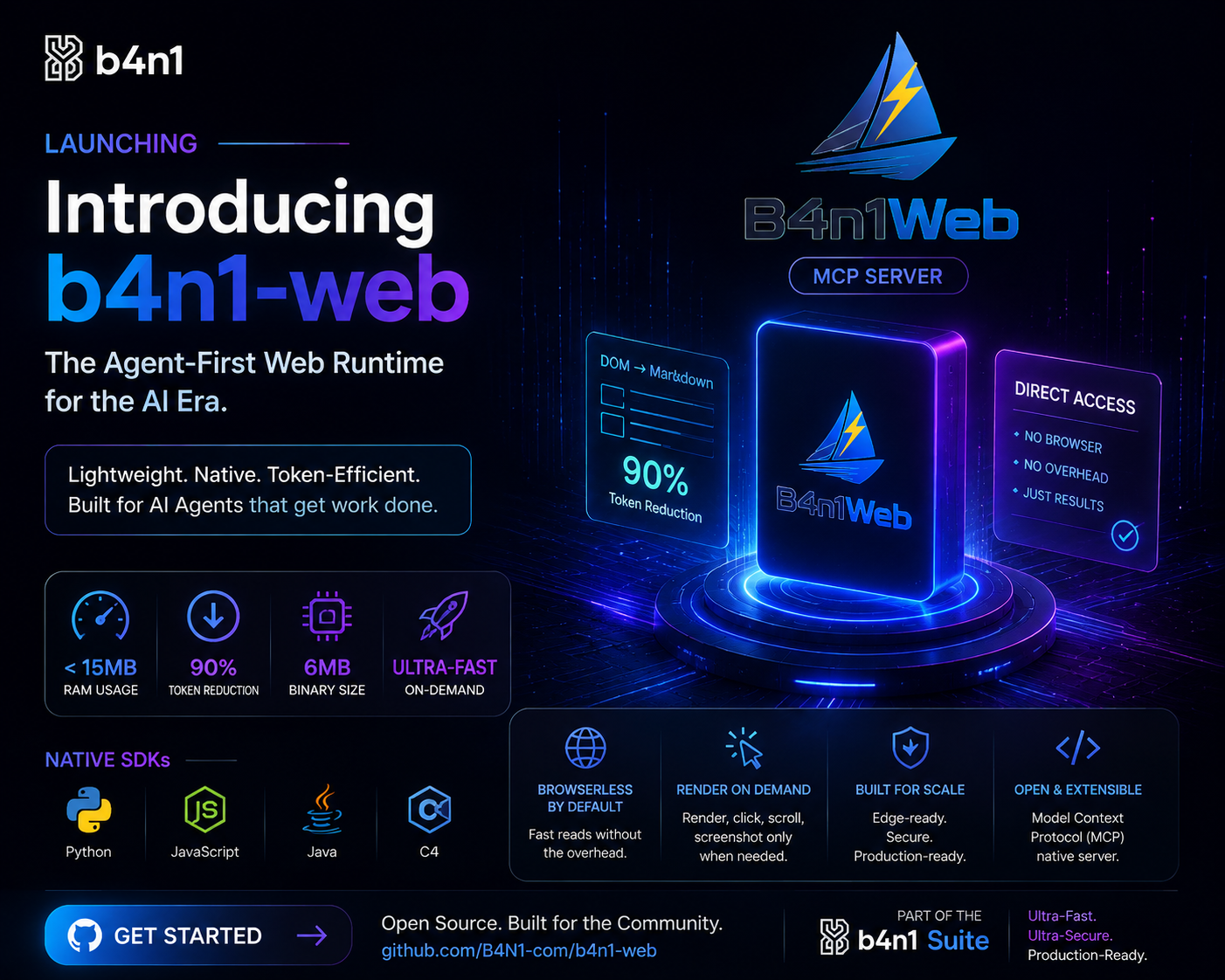
🌐 B4n1Web — Agentic Browser Engine
Ultra-lightweight headless browser for AI agents.











Single Rust binary · 4 language SDKs · 33 MCP tools. Navigate URLs, extract structured content (markdown, links, screenshots), and build autonomous agent workflows.
📖 Full documentation: https://B4N1-com.github.io/b4n1-web/
🌍 Languages / Idiomas / 语言
| 🇬🇧 English | 🇪🇸 Español | 🇫🇷 Français | 🇩🇪 Deutsch | 🇵🇹 Português | 🇮🇹 Italiano |
| 🇨🇳 简体中文 | 🇯🇵 日本語 | 🇰🇷 한국어 | 🇷🇺 Русский | 🇸🇦 العربية | 🇮🇳 हिन्दी |
🖥 Platform Support
8 pre-compiled binaries — works everywhere:
| Platform | Architectures | Binary |
|---|---|---|
| Linux | x86_64, aarch64, i686 | musl (static, no glibc) |
| macOS | x86_64, arm64 | universal |
| Windows | x86_64, arm64, i686 | MSVC |
Quick Start
# Install the binary
curl -sL https://raw.githubusercontent.com/B4N1-com/b4n1-web/master/scripts/install.sh | bash

# Or use your preferred package manager
pip install b4n1-web
npm install b4n1-web
dotnet add package B4n1Web
# Java: add dependency from Maven Central
from b4n1web import AgentBrowser

browser = AgentBrowser()
page = browser.goto("https://example.com")
print(page.markdown)
browser.close()
MCP Server
# stdio mode (default)
b4n1web mcp
npx b4n1-web mcp
uvx b4n1-web mcp
SDK Matrix
| Language | Package | Version | Binary |
|---|---|---|---|
| Python | b4n1-web | 0.13.0 | Bundled (musl) |
| JavaScript/TypeScript | b4n1-web | 0.13.0 | Bundled (musl) |
| Java | com.b4n1:b4n1-web | 0.13.0 | Bundled (musl) |
| C# (.NET) | B4n1Web | 0.13.0 | Bundled (musl) |
Browser Modes
| Mode | Description | RAM | Startup |
|---|---|---|---|
| Light | HTTP fetch + HTML parsing | ~15MB | Instant |
| JS | Light + JavaScript extraction | ~15MB | Instant |
| Render | Full Chromium + screenshots | ~100MB | ~2s |
Features
- 33 MCP tools for AI agent integration
- 4 language SDKs (Python, JS, Java, C#) with bundled binary
- Self-contained binary ~12MB, no dependencies
- Static linking (musl) — works on any Linux, no glibc required
- Three modes: Light (instant), JS (scripts), Render (Chromium)
- Security shield: domain filtering, safe browsing
- Network interception: block resources, mock responses
- MCP Server: stdio transport, no port needed
Documentation
- 📖 Full documentation — mdBook
- Agent Reference — AI agent integration
- MCP Tools — MCP registry
Links
- Website: https://b4n1.com
- GitHub: https://github.com/B4N1-com/b4n1-web
- PyPI: https://pypi.org/project/b4n1-web
- npm: https://www.npmjs.com/package/b4n1-web
- NuGet: https://www.nuget.org/packages/B4n1Web
- Maven Central: https://central.sonatype.com/artifact/com.b4n1/b4n1-web
License & Commercial Terms
- Original Source Code: 100% Proprietary and Closed Source (All Rights Reserved by Bani Montoya).
- Binaries & SDK Tools: Provided under the Business Source License 1.1 (BSL 1.1).
- Free Tier: 100% free for development, evaluation, testing, personal projects, and startups with gross annual revenue < $100,000 USD.
- Mandatory Enterprise B2B License: Required for government agencies, public bidding projects, and enterprises with gross annual revenue >= $100,000 USD.
For Enterprise B2B licensing inquiries, visit https://b4n1.com/licensing or email b4n1@b4n1.com.
Installation
Source-derived launch command. Check the maintainer’s required arguments and credentials before running:
npx -y b4n1-webSet up in your AI client
Merge this template into ~/Library/Application Support/Claude/claude_desktop_config.json. Keep existing servers. Add any arguments, credentials, and permissions required by the maintainer; this template has not been install-tested.
{
  "mcpServers": {
    "io-github-b4n1-com-b4n1web": {
      "command": "npx",
      "args": [
        "-y",
        "b4n1-web"
      ]
    }
  }
}
Restart Claude Desktop completely for changes to take effect. Confirm the server appears connected in the client’s tool list, then try a read-only example from its documentation.
Claude Desktop setup referencePackage
b4n1-webnpmCompatible MCP Clients
B4n1Web works with any MCP-compatible client. Copy the config snippet from the Configuration section above and add it to the file shown for your client, then restart the application.
- Claude Desktop
~/Library/Application Support/Claude/claude_desktop_config.jsonRestart Claude Desktop completely for changes to take effect. - Cursor
~/.cursor/mcp.jsonRestart Cursor for changes to take effect. - VS Code
.vscode/mcp.jsonReload VS Code window for changes to take effect. - Windsurf
~/.codeium/windsurf/mcp_config.jsonRestart Windsurf for changes to take effect. - Claude Code
.mcp.jsonSave at the project root, then start Claude Code in that project and review the MCP server approval prompt. Keep real credentials out of shared files.