Godot MCP Loop
Drive a live Godot 4 editor: edit scenes and scripts, run and test the game, record GIFs.
godot-mcp-loop
Let AI agents edit your Godot 4 game and check their own work. An MCP server + Godot editor addon focused on the verification loop: change → run → observe → judge.
日本語 README · Tools · Scenarios · Clients · Security · Protocol
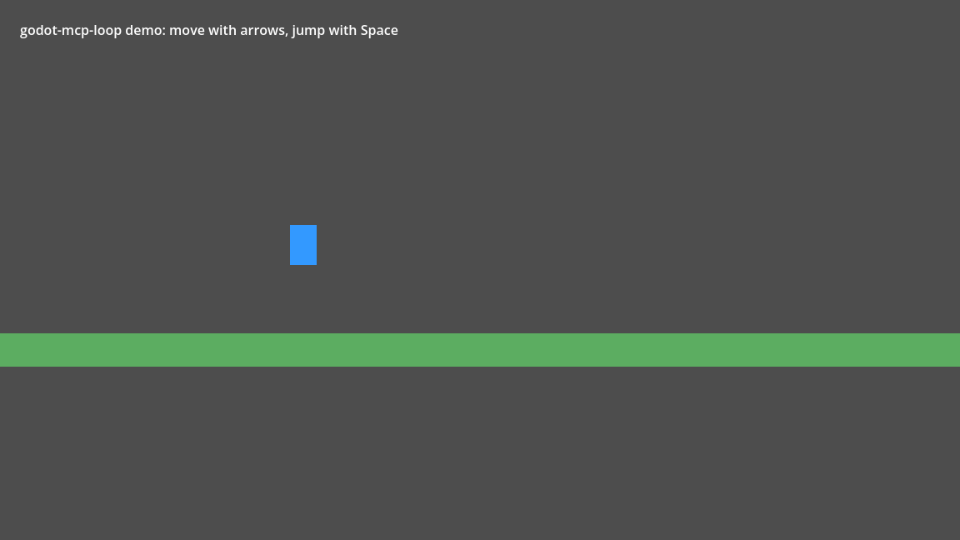
There are many Godot MCP servers that let an agent edit scenes. Few let it find out whether the edit worked. godot-mcp-loop gives the agent a play-tester's toolkit — launch the game, send real input, wait for conditions, read live state, take screenshots, collect errors — plus declarative scenario tests that return a pass/fail report with the failing value. Editing is deliberately conservative: every change is undoable, previewable, validated before it is applied, and sandboxed to your project.
What an agent can do
godot_status                                    → editor connected, Godot 4.7.2, main.tscn open
script_write res://player.gd (dry_run)          → unified diff; compile errors with line numbers if any
script_write res://player.gd                    → written (undoable)
game_run                                        → game running, runtime connected
game_input [{action: move_right, hold_ms: 1000}]
game_wait_for Player position:x > 250           → met after 0.8 s
screenshot                                      → (image)
logs_read source=game min_level=error           → []
scenario_run res://tests/move_right.yaml        → PASSED (7/7 steps)
Highlights
- Closed loop:
game_run,game_input(actions, keys, mouse, with real timing; can record values every frame),game_wait_for(checked every frame, reports the last value on timeout),game_query,screenshot,logs_read. - Scenario tests: YAML/JSON play-tests → per-step pass/fail, failure screenshot, game errors. Details.
- Safe editing: every edit goes through Godot's undo history;
edit_undoonly ever reverts edits made via MCP;dry_runeverywhere; GDScript is compiled before it is written; property values are validated before anything changes. - Sandboxed: localhost-only bridge with a per-session token;
res://paths only; no writes to.godot/,.git/or the addon; no arbitrary-code-execution tool. Security notes. - Doesn't freeze on errors: Godot's debugger pauses games on script errors; the addon logs the error and continues, so the agent sees it instead of hanging.
- No extra ports in the game: the game talks to the editor over Godot's own debugger connection.
- 41 focused tools rather than hundreds — easier for models to use well.
Requirements
- Godot 4.7 (tested on 4.7.2). 4.5–4.6 should work — the addon needs the
LoggerAPI added in 4.5 — but are not tested yet. - Node.js 20+
- An MCP client: Claude Code, Cursor, Claude Desktop, Codex, Hermes Agent, …
Install
As a Claude Code plugin (Claude Code 2.1.275+; asks for your Godot project path once):
/plugin install godot-mcp-loop --marketplace AI-osho/godot-mcp-loop
The plugin registers the godot-loop MCP server and the agent skill; it runs the npm package, so keep the addon it
copies into your project in step (the addon and server must share a version).
With npm (Node.js 20+): With npm (Node.js 20+):
Listed in the official MCP Registry as
io.github.AI-osho/godot-mcp-loop— clients that browse the registry can add it from there; the steps below are the same.
- Addon — the addon must match the server's version, so let the server copy it into your project and enable it:
npx -y godot-mcp-loop@latest install-addon /ABS/my-game --skill--skillalso adds the agent skill (step 5 below). The command prints the version to use next. - Client — register the server with that version, e.g. Claude Code:
Other clients: docs/clients.md.claude mcp add godot-loop -- npx -y godot-mcp-loop@<version> --project /ABS/my-game - Open your project in the Godot editor and ask the agent to call
godot_status.
From source:
- Addon — copy
addons/mcp_loopinto your project'saddons/folder, then enable Project › Project Settings › Plugins › MCP Loop. The plugin registers an autoloadMCPLoopRuntime(inactive in exported games). - Server —
git clone https://github.com/AI-osho/godot-mcp-loop.git cd godot-mcp-loop/server && npm ci && npm run build - Client — e.g. Claude Code:
Other clients: docs/clients.md.claude mcp add godot-loop -- node /ABS/godot-mcp-loop/server/dist/index.js --project /ABS/my-game - Open your project in the Godot editor and ask the agent to call
godot_status. - Agent skill (recommended) — copy
.claude/skills/godot-mcp-loopinto your project's.claude/skills/(or~/.claude/skills/for every project). It teaches the agent the loop, deterministic checks withgame_step, scenario patterns and pixel art. It follows the Agent Skills format, so other agents that read skills can use it too.
Start a new game project
scripts/new-game.sh ~/games/my-game --name "My Game" --register-claude
creates a Godot project with the addon enabled, the agent skill, short AGENTS.md / CLAUDE.md files, a
scenarios/ folder and an initial git commit, and registers the MCP server with Claude Code for that folder
(--claude-config DIR for a separate Claude Code configuration). Then open it with godot -e --path ~/games/my-game.
For long builds the project also gets PROGRESS.md (goal, status, done, next, decisions, known issues), which the
agent keeps current, and Claude Code project settings (.claude/settings.json): a session-start hook prints
PROGRESS.md, the last commits and uncommitted changes into the agent's context — at startup, on resume, after
/clear and after context compaction — the godot-loop tools run without permission prompts, and destructive shell
commands (rm -rf, force push, git reset --hard, git clean) are denied. Claude Code applies the allow rule once you
accept its trust prompt for the folder.
Try the demo
This repository is itself a Godot project with a tiny platformer
(examples/platformer, arrow keys + Space). Open it in Godot, point the server at the repository root, and ask your
agent to "run scenario_run on res://examples/platformer/scenarios/move_right.yaml" — then try
intentional_failure.yaml to see a failure report.
A five-minute tour
- Install the addon in your project folder (it copies
addons/mcp_loop, enables the plugin and drops the agent skill into.claude/skills/):cd my-game && npx -y godot-mcp-loop@latest install-addon . --skill - Open the project in Godot (4.5+):
godot -e --path .— the bridge starts with the editor and listens on 127.0.0.1. - Connect your MCP client to
npx -y godot-mcp-loop@latest --project /absolute/path/to/my-game, then ask forgodot_status: it should report the Godot version, the project and the scene the editor has open. - Ask for one change and one check: "add a coin to the level, then run
scenario_run {"path": "res://scenarios/coins.yaml"}". A failing step comes back with the observed value and a screenshot. - Record it: run the same scenario with
"movie": {}and"save_to": "res://qa/evidence/tour", then openqa/evidence/tour/movie.gif— the whole run, plus a contact sheet of the key frames.
Advanced samples
Five complete games live in examples/. Each was generated end to end by an AI agent through
godot-mcp-loop from a single prompt — code, NES-style pixel art (image_write), input actions, test hooks and
regression scenarios — and then verified independently: every scenario passes and random-input runs log no errors.
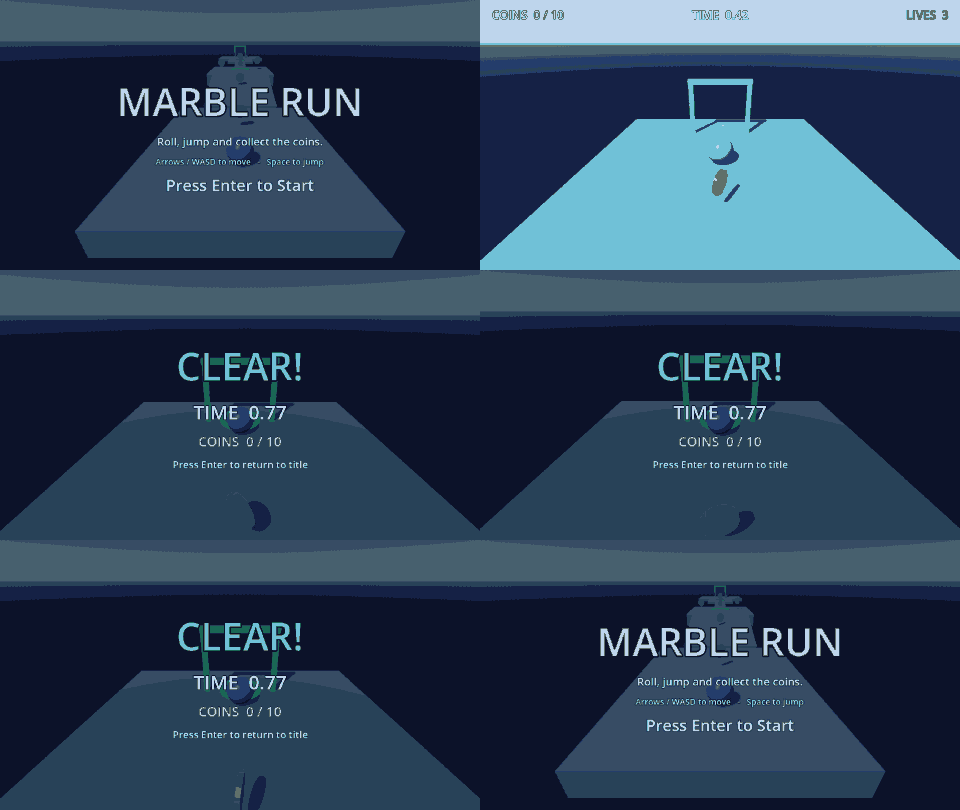
The 3D sample ships with the package, so you can open it without cloning this repository:
npx -y godot-mcp-loop@latest sample marble-3d ./marble-3d
cd marble-3d && npx -y godot-mcp-loop@latest install-addon . --skill && godot -e --path .
It is the game the 3D tools were built against: seven scenarios (7_gap_needs_jump.yaml proves a gap cannot be
rolled over), a chase camera, coins, checkpoints, lives and a timed clear. npx -y godot-mcp-loop@latest sample
lists everything bundled.
| Game | Generated by | Size | Scenarios | |
|---|---|---|---|---|
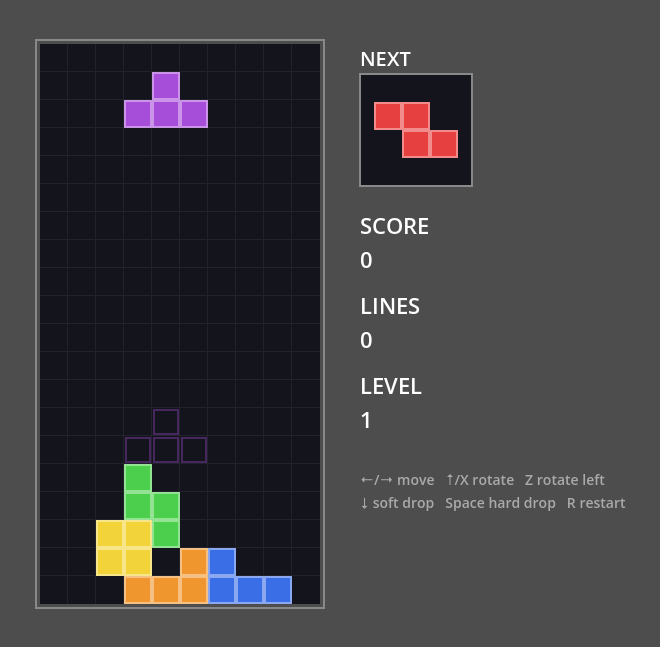 | Falling Blocks — falling-block puzzle: SRS-style rotation with wall kicks, ghost piece, levels and scoring, seeded piece order | Claude Opus 5.5 (Claude Code) | 381 lines | 4 |
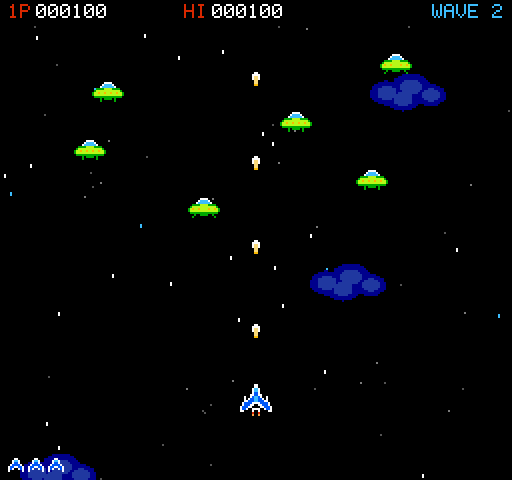 | Vertical shooter — 4 enemy types over 5 waves, a boss with 3 attack patterns, explosions, scrolling starfield, 11 sprites | Claude Opus 5.5 (Claude Code) | 805 lines | 4 |
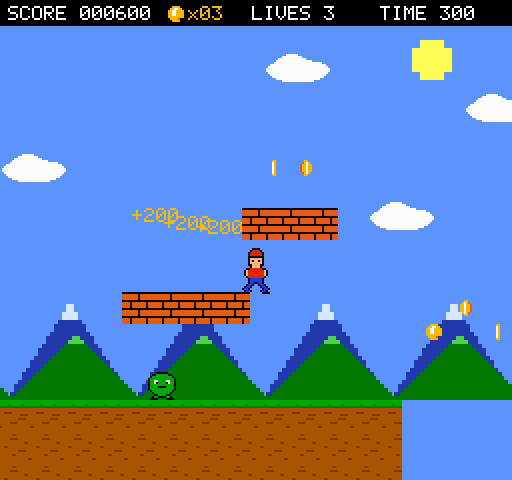 | Side-scroller — acceleration and variable jump, 8-screen stage with pits and moving platforms, stompable enemies, coins, goal, 3-layer parallax, 12 sprites | DeepSeek V4.1 Flash (Claude Code) | 967 lines | 4 |
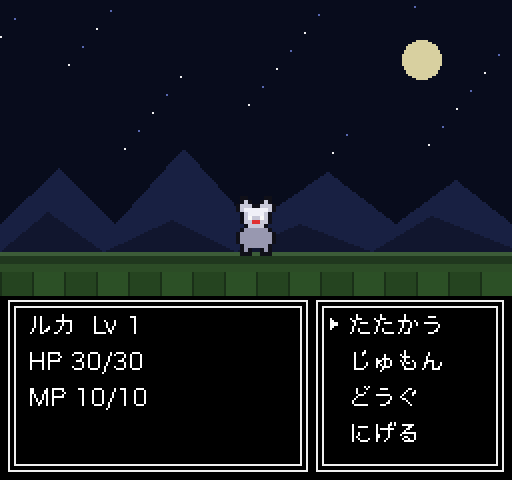 | RPG "星剣のルカ" — NES-style RPG with an original story and cast: title and prologue, grid movement, NPC dialogue, random encounters, front-view battles with spells, items, fleeing and level-ups, a boss and an ending (Japanese text) | DeepSeek V4.1 Flash (Claude Code) | 2,284 lines | 6 |
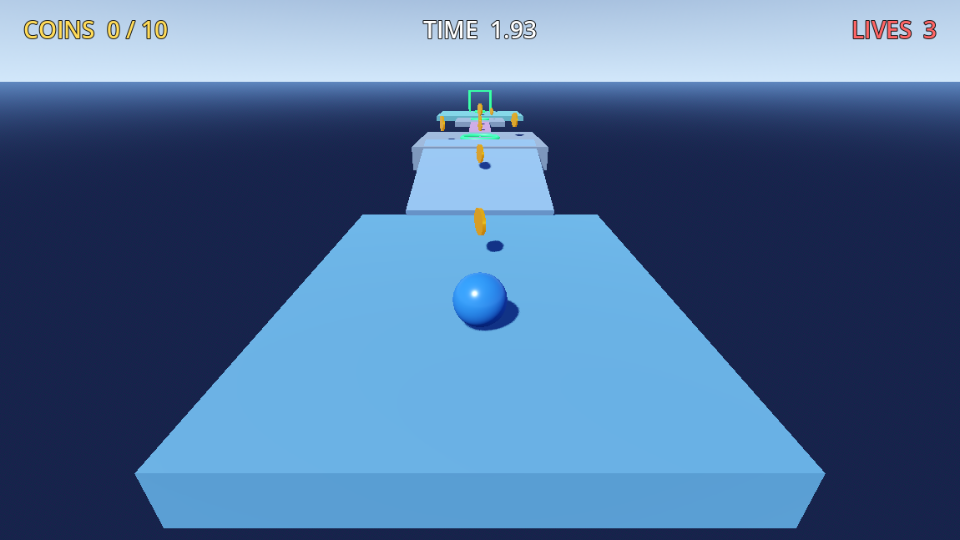 | Marble Run — the first 3D sample: a rolling marble over ramps and gaps, 10 coins, checkpoints and lives, a chase camera, timed clears and a full HUD | DeepSeek V4.1 Flash (Claude Code) | 676 lines | 7 |
Play one with game_run {"scene": "res://examples/shooter/shooter.tscn"} (or open the scene and press F6) and
replay its checks with scenario_run {"path": "res://examples/shooter/scenarios/4_boss_clear.yaml"} — or all of them
with {"path": "res://examples/shooter/scenarios"}. Controls and details: examples/README.md.
Tools
| Area | Tools |
|---|---|
| Status | godot_status, project_info, project_list, project_connect (switch projects) |
| Editor | editor_launch (finds Godot, opens the project), editor_quit |
| Scenes | scene_open, scene_create, scene_save, scene_tree |
| Nodes | node_add, node_delete, node_get, node_set |
| Scripts | script_read, script_write, script_edit, script_attach |
| Files & assets | file_write (YAML/JSON/text), image_write (pixel-art PNG), input_action_set, project_setting_set (main scene, viewport, stretch) |
| Undo | edit_undo |
| Run & observe | game_run, game_stop, game_query, game_ui_audit, game_in_view, game_ray, game_contacts, game_input, game_wait_for, game_set, game_call, game_pause, game_step, logs_read, screenshot |
| Build | project_export (release export from a preset into res://build/ only, no shell) |
| Judge | scenario_run (evidence folder, movie → GIF + contact sheet), test_run (GUT / GdUnit4 unit tests) |
Full reference: docs/tools.md.
Headless / CI
Add --headless to Project Settings › Editor › Run › Main Run Args to run games without a window (everything
except screenshot works). The repository's own CI runs a headless editor and headless games on Linux for the
end-to-end tests — see .github/workflows/ci.yml.
Development
scripts/test-godot-unit.sh                   # GDScript unit tests (headless)
cd server && npm run typecheck && npm test   # TypeScript unit tests
npm run build && npm run test:e2e            # end-to-end against a real headless editor + game
E2E_GAME_WINDOW=1 npm run test:e2e           # same, with game windows (enables screenshot checks)
Limitations
- One MCP client per editor at a time (a new connection replaces the old one).
script_writevalidates GDScript only; a script that references its own newclass_namemay compile-check slightly less strictly.- C# projects are not supported yet.
License
MIT © OSHO
Installation
Source-derived launch command. Check the maintainer’s required arguments and credentials before running:
npx -y godot-mcp-loopSet up in your AI client
Merge this template into ~/Library/Application Support/Claude/claude_desktop_config.json. Keep existing servers. Add any arguments, credentials, and permissions required by the maintainer; this template has not been install-tested.
{
  "mcpServers": {
    "io-github-ai-osho-godot-mcp-loop": {
      "command": "npx",
      "args": [
        "-y",
        "godot-mcp-loop"
      ]
    }
  }
}
Restart Claude Desktop completely for changes to take effect. Confirm the server appears connected in the client’s tool list, then try a read-only example from its documentation.
Claude Desktop setup referencePackage
Compatible MCP Clients
Godot MCP Loop works with any MCP-compatible client. Copy the config snippet from the Configuration section above and add it to the file shown for your client, then restart the application.
- Claude Desktop
~/Library/Application Support/Claude/claude_desktop_config.jsonRestart Claude Desktop completely for changes to take effect. - Cursor
~/.cursor/mcp.jsonRestart Cursor for changes to take effect. - VS Code
.vscode/mcp.jsonReload VS Code window for changes to take effect. - Windsurf
~/.codeium/windsurf/mcp_config.jsonRestart Windsurf for changes to take effect. - Claude Code
.mcp.jsonSave at the project root, then start Claude Code in that project and review the MCP server approval prompt. Keep real credentials out of shared files.